Find out how much does a virtual assistant cost in 2026, with hourly rates by location and task, monthly budgets, pay-per-task pricing and hidden fees.
November 20, 2026 (Today)
How Much Does a Virtual Assistant Cost in 2026?
Find out how much does a virtual assistant cost in 2026, with hourly rates by location and task, monthly budgets, pay-per-task pricing and hidden fees.
← Back to blog
Most virtual assistants charge between about $8 and $35 an hour. Offshore generalists cluster near $8 to $20, and US-based assistants average roughly $35.61 an hour.
That spread gets quoted in every pricing conversation, and it's the least useful number in the file. A rate tells you what an hour of someone's attention costs. It says nothing about what an hour of their attention produces, and nothing about the four or five line items that land on top: the onboarding hours before anything ships, the licences the assistant needs, the rework on a vague brief, the margin an agency adds, and the tax exposure if the arrangement is classified wrongly.
A buyer who compares quotes on rate alone is comparing the cheapest part of the deal. The number that decides whether outsourcing pays is cost per accepted deliverable, and it can invert the ranking of two quotes that look nothing alike on paper.
Typical Virtual Assistant Rates at a Glance
Geography is the first filter, and it moves the price further than experience, tooling or the wording of the contract. The same inbox and calendar work costs roughly three times more from a US-based assistant than from one working in the Philippines, and that gap is not a quality verdict. It reflects local labor markets, English and domain fluency, time-zone overlap, and how much recruiting, quality control and coordination someone else is carrying for you.
| Location | Typical hourly rate | Best fit |
|---|---|---|
| Offshore generalist | $8-$15 | Scheduling, email, data entry, routine admin |
| Nearshore | $15-$25 | Overlapping time zones, moderate skill, regular client contact |
| US or Canada onshore | $25-$75 | Executive support, specialized work, same-day availability |
A July 2025 crowdsourced database covering 52 moderated freelance submissions reported an average rate of $25 per hour, a typical range of $10 to $35, and a top decile charging at least $50 per hour, according to Zarla's virtual assistant pricing survey. Those benchmarks sit inside the location tiers rather than contradicting them.
Offshore pricing has its own anchor. Wishup's 2026 Virtual Assistant Industry Report puts 2025 offshore generalist virtual assistants at approximately $8 to $20 per hour, which brackets the tighter $8-$15 band most buyers see.
Scale the arithmetic and the tiers separate fast. At $25 an hour, five hours of work costs $125 and 20 hours costs $500. Move to the top decile at $50 an hour and that same 20-hour workload runs to $1,000, double the bill for identical time on the clock.
One caveat before these numbers go into a spreadsheet: pay-per-task quotes do not convert cleanly into hourly ones, because scope, revision rounds, urgency and the assistant's own efficiency set the price rather than logged time. A fast assistant who finishes a fixed-price job in four hours and a slow one who takes eight are paid the same. That mismatch is why a headline rate hides the figure that matters, cost per accepted deliverable, which folds the rework, the licences and the onboarding hours into each finished job.
Specialization compounds the tiers, and some niches carry obligations the general market does not. Buyers hiring in clinical settings, where an assistant handles patient scheduling, intake or record requests, face a separate price band and a separate compliance burden, and MedicalVirtual's medical virtual assistant service sets out which roles fit that model.
Read the table as a shortlist, not a quote. Choose the tier that matches your task and the time-zone overlap you need, then let the work itself move the number.
Hourly Rates by Task Type and Skill

The spread between the cheapest and the priciest advertised hour in the table below is wide enough that a single average rate describes no real engagement. What changes across the bands is not the clock but how much finished, accepted work one billed hour produces.
| Task type | Typical hourly range |
|---|---|
| Administrative, executive and customer support | $12-$20 |
| Marketing, social media and design | $20-$35 |
| E-commerce and website support | $10-$50 |
| Bookkeeping and finance | $11-$32 |
| Research and project management | $19-$70 |
| Advanced project management, IT, web development or server management | $38-$50 or more |
The bands are typical marketplace ranges rather than one vendor's price list. Upwork's published virtual assistant rate ranges reports a $13-per-hour median on its platform, with most assistants charging $10 to $20 per hour. Its cost page sets harder floors, listing administrative and data-entry professionals at $12 to $20 or more, marketing, customer service and accounting support at $20 to $35 or more, and advanced assistants covering project management, content systems, IT, web development or server management at $38 to $50 or more, per Upwork's virtual assistant cost page.
Read the bands as overlapping rather than separate. The bottom of the marketing range sits on top of the admin range, and the top of research reaches into systems work, which is why two quotes for what sounds like the same role can differ by half.
What pushes a task into a higher band
Task names don't set the rate. Four things do.
- Judgment without supervision: an assistant who decides which invoices need a second approval is doing different work from one who types them in.
- Client-facing responsibility: the person on a vendor call or in a customer thread carries reputational risk, and that costs more than a back-office seat.
- Systems ownership: CRM administration, a website build or server upkeep require someone who can be trusted with access and breakage.
- Deadline pressure and language range: bilingual work and hard turnarounds compress the pool of people who can do the job.
A practical comparison makes the mechanics plain. An assistant handling a calendar, an inbox and invoice entry sits at the bottom of the range, maybe $12 to $18 an hour. An assistant who runs a website build, administers the CRM and takes vendor calls sits in the $38 to $50 band, because a mistake there is expensive and the skill is scarce. Same hours billed, very different exposure to loss.
The test worth running on your own task list is simple. Split every recurring job into routine, specialized or systems work before you ask for a single quote. Routine work belongs in the cheapest tier that produces acceptable output, and systems work belongs with whoever can be trusted unsupervised. Judge each quote on cost per accepted deliverable rather than the hourly headline, because a cheap hour that comes back for rework gets billed twice. Send one blended scope to three providers and you'll get three differently inflated prices, none of them comparable to each other.
Hourly Billing Versus Pay-Per-Task Pricing
Two buyers can pay the same hourly rate and end up with very different bills, because hourly billing sells time while task billing sells finished work. Hourly suits ongoing support with unpredictable volume: the inbox that spikes after a launch, the calendar that needs a human in it every week. Task pricing suits repeatable jobs with a visible finish line, where scope can be written down and acceptance is obvious.
| Model | How you pay | Best for | Watch for |
|---|---|---|---|
| Hourly retainer | Logged hours at an agreed rate | Ongoing work with variable volume | Hours can drift without time tracking |
| Pay-per-task | Fixed price per completed task | Repeatable jobs with a clear finish line | Revisions and scope changes raise the real rate |
| Monthly package | Fixed block of hours each month | Steady, predictable workload | Unused hours may be lost at month end |
| Agency placement | Hourly rate with agency markup | Hands-off hiring and backup cover | Effective rate is noticeably higher than assistant pay |
Why the cheapest rate rarely wins
Take a 20-hour monthly workload. At $10 an hour it costs $200. At $35 an hour the same nominal workload costs $700, a 3.5-fold difference that makes the cheap quote look like an easy decision.
Now add the friction that never appears in the quote. Weak task specifications and rework add 30% more time, and the $10 option becomes 26 billed hours, or $260. It still beats $700 on paper, which is exactly why comparing rates is so misleading. The question is how many accepted deliverables came out of each invoice.
The comparison that matters: divide the total invoice, including your own review hours, by the number of deliverables you accepted without sending them back.
A $10 assistant who needs two rounds of fixes can land above a $25 assistant who gets it right the first time, once your review time is priced in. That isn't an argument for paying more. It's an argument for measuring the right thing.
Pay-per-task work has the same trap in a different shape. A job priced at $150 for six hours of work is a $25-per-hour job in disguise. If the scope grows and the price rises to $200 for the same six hours, the effective rate is $33.33 and nobody renegotiated the hourly figure, because there wasn't one.
The guide to pay-per-task virtual assistant pricing is worth reading before you structure a fixed-price arrangement, because it explains how scope, milestones and acceptance criteria replace billed hours as the unit of account. On a task marketplace the mechanics are simple: you post the task, agree the price and milestones with the assistant, and the brief itself carries the scope. Setting a task to Delegate in Fluidwave sends it to a human assistant through the marketplace, so the deliverable and its price are defined before anyone starts.
Where hourly still earns its keep
Keep an hourly or retainer arrangement when the work is open-ended: live customer support during business hours, an executive calendar that changes daily, or a standing weekly reporting cycle where the volume fluctuates. In those cases, a per-task price becomes guesswork, and the provider prices the uncertainty into every job.
The reverse is also true. Task pricing is a poor fit for work you can't specify, because the assistant either overquotes to cover ambiguity or underquotes and delivers something you reject. Write the finish line first, then choose the billing model that matches it.
Hidden Costs and Contractor Classification
The rate is the visible part of the bill. The costs that surprise buyers are the ones that never appear on a quote: software licences the assistant needs, onboarding and training hours, rework on ambiguous tasks, your own management time, backup cover while the assistant is on leave, time-zone coordination, and any agency markup baked into the rate.
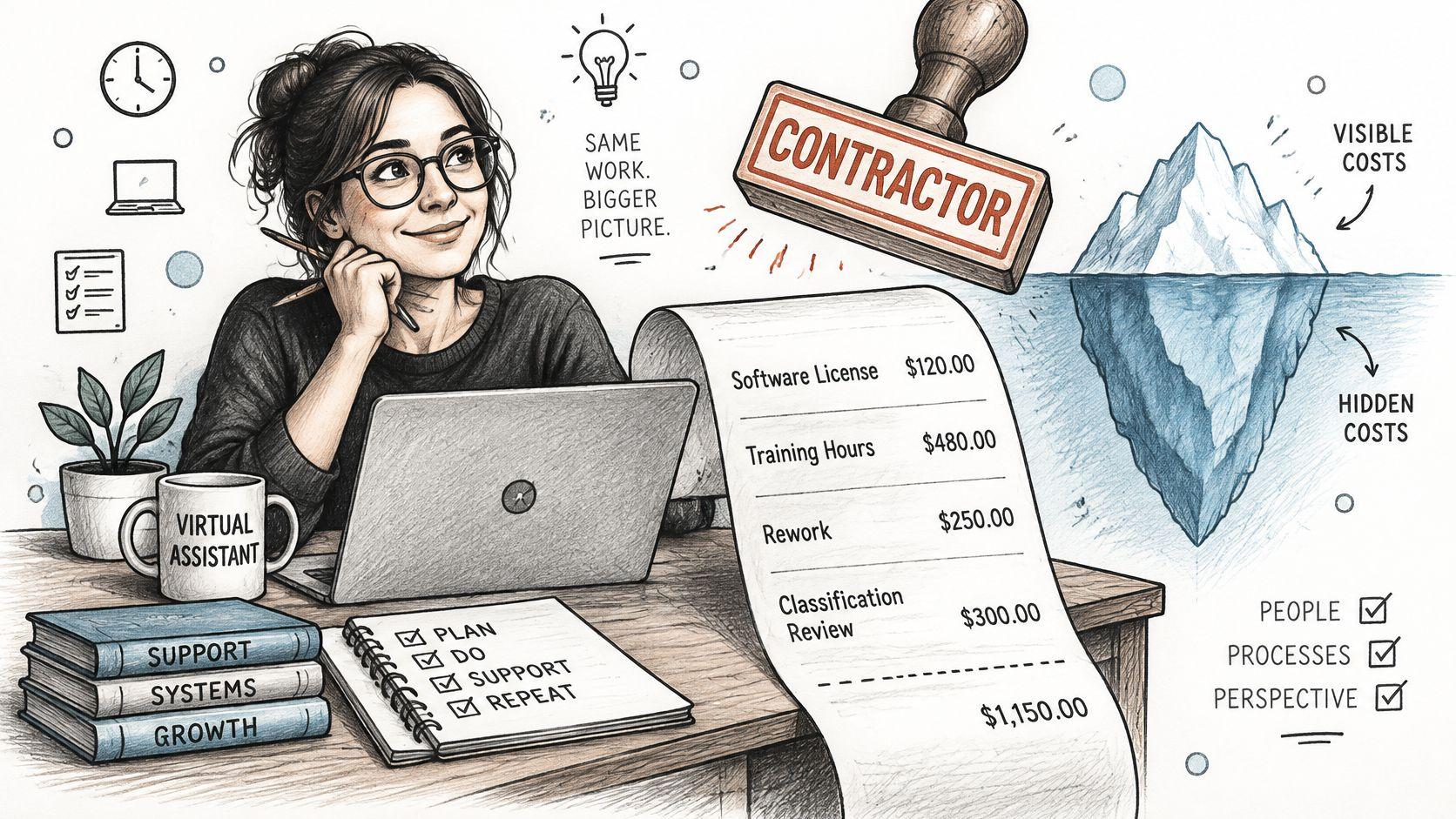
Run the total on a normal-looking arrangement and the gap shows up. A $25-per-hour assistant working 20 hours a month bills $500. Add three onboarding hours at the same rate, $75, and $40 a month in tool licences, and the month comes to $615, which is 23% above the headline figure. None of that is waste. It's the cost of the arrangement, and it belongs in the budget before the first invoice arrives.
The biggest hidden line is usually your own time. Direction, review and correction come out of your week, heaviest in the first month when processes live in your head rather than in a document.
The classification question that outranks the rate
One more cost has nothing to do with the assistant's skill, and it can dwarf everything above. Worker classification decides whether you owe employment taxes, and it isn't settled by a contract clause.
The IRS looks at the whole relationship across three categories: behavioural control, financial control, and the relationship between the parties. The evidence it weighs includes who directs how the work is performed, who supplies the tools, whether expenses are reimbursed, how payment is structured, whether benefits are provided, whether the relationship is permanent, and whether the worker performs a key aspect of the business, as set out in the IRS guidance on independent contractor classification.
A contract label alone doesn't determine the answer, and a business can ask the IRS for a determination using Form SS-8. Confirm the arrangement with a tax adviser before you hire, not after a filing season goes wrong. If you'll be paying an independent assistant across borders or across state lines, set the bookkeeping up properly from month one, and this guide to independent contractor bookkeeping software covers the records worth keeping from the start.
A cheap assistant on a misclassified engagement isn't cheap. It's an unpriced liability with an hourly rate attached.
Monthly Budget by Hours and Hourly Rate
US wage data gives the most defensible baseline for what administrative support costs. The U.S. Bureau of Labor Statistics reported that in May 2025, secretaries and administrative assistants excluding legal, medical and executive roles held 1,706,790 jobs with a mean wage of $23.73 per hour, or $49,350 a year, and a median of $22.86 per hour, according to the BLS Occupational Employment and Wage Statistics profile.
The distribution around that median matters more than the median itself. The middle 50% earned between $18.67 and $27.89 per hour, and the 10th-to-90th-percentile range ran from $16.00 to $31.90.
These are employee wages, not client-facing freelance prices. An independent assistant usually bills above the wage benchmark to cover self-employment taxes, unpaid leave, software, equipment, recruiting and administrative overhead. Treat the BLS figure as the floor of a defensible range, not as a quote you can hold anyone to.
Turning the benchmark into a monthly ceiling
At the BLS median, 10 hours a month equals roughly $229 in direct labor and 20 hours equals roughly $457. Those are labor-only numbers, and they rise with specialization, guaranteed availability and any provider that manages quality control on your behalf.
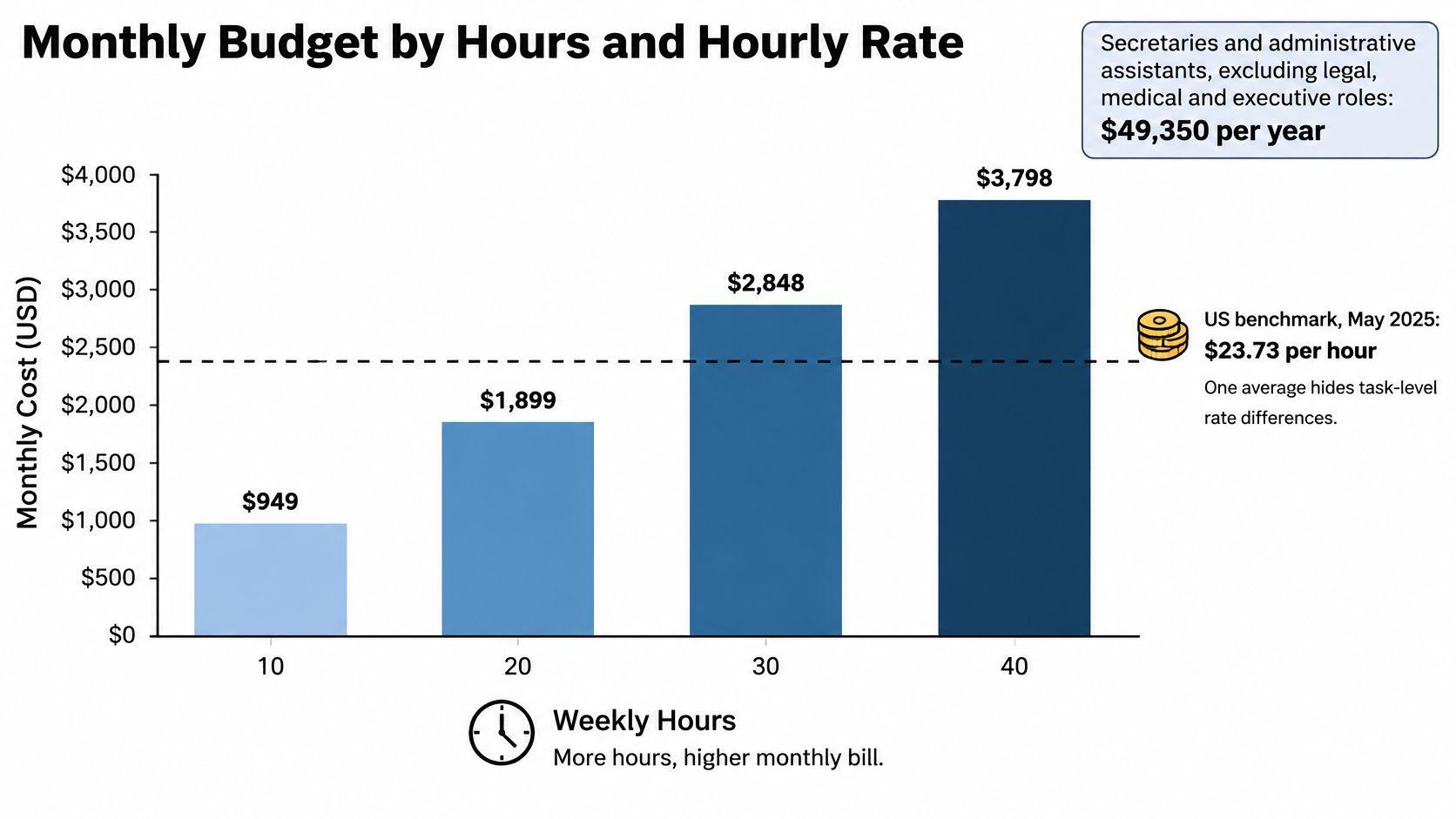
| Hours per month | $10 per hour | $25 per hour | $35 per hour |
|---|---|---|---|
| 10 hours | $100 | $250 | $350 |
| 20 hours | $200 | $500 | $700 |
| 40 hours | $400 | $1,000 | $1,400 |
Add a buffer on top of whichever row matches your plan. Revisions, a sick week, a launch that needs extra hands and the odd rush job all land inside the month, and a budget with no slack in it turns every surprise into a negotiation.
The formula to carry into any conversation is short: hours per month × agreed rate + tools + buffer. Run it at 10, 20 and 40 hours before you talk to anyone, so a provider's quote has something to be measured against. The table is a starting ceiling, not a quote, and it deliberately excludes onboarding, which is a one-off cost in month one and a recurring one every time an assistant leaves.
Scope, Trial and Budget Before You Scale
Every quote you receive is answering a different question until you force the questions to match. A provider quotes against the brief they were given, and a vague brief produces a price that can't be compared to anything. Fix the brief first.
The six checks that make quotes comparable
- Write the scope task by task. List each recurring job, its expected volume and where it finishes. "Manage the inbox" isn't a scope; "triage 60 emails a day, flag anything from a client, draft replies for approval" is.
- Set acceptance criteria in writing. Define what a finished task looks like, the turnaround time and how many revision rounds the price includes. This single line prevents most disputes.
- Confirm availability windows. Weekly hours, the hours you need live cover, and the time-zone overlap for anything that has to happen in real time.
- Check skills against tasks, not against titles. Ask whether the quoted rate covers the tools and software the assistant will use, and who provides backup when they're unavailable.
- Lock down data access before sharing a login. A password manager, least-privilege access to each system, and a signed confidentiality agreement should all be in place on day one.
- Settle classification with a tax adviser. Use the behavioral, financial and relationship factors as the framework, and get the answer in writing before you sign.
For heavier hiring questions, such as how to structure a first contract or what to ask references, the LatoJobs employer resource library collects practical guidance for small employers building out support roles.
Set a monthly ceiling from the hours you can delegate multiplied by the rate you can afford, then add tools and a buffer. A ceiling makes the scale decision for you: when the work exceeds it, you renegotiate or reprioritize rather than absorbing a rising invoice.
Test one job before you commit to a month
Start with a paid trial of two or three hours on a real task, not a sample exercise. Real work exposes how the assistant handles ambiguity, how they ask questions, and whether the output needs rework. Nobody performs well on a fabricated test.
Then move to a 10-hour pilot over 30 days, or a single pay-per-task job if the work suits fixed pricing. Keep the scope identical to the trial so you're measuring the assistant, not the brief.
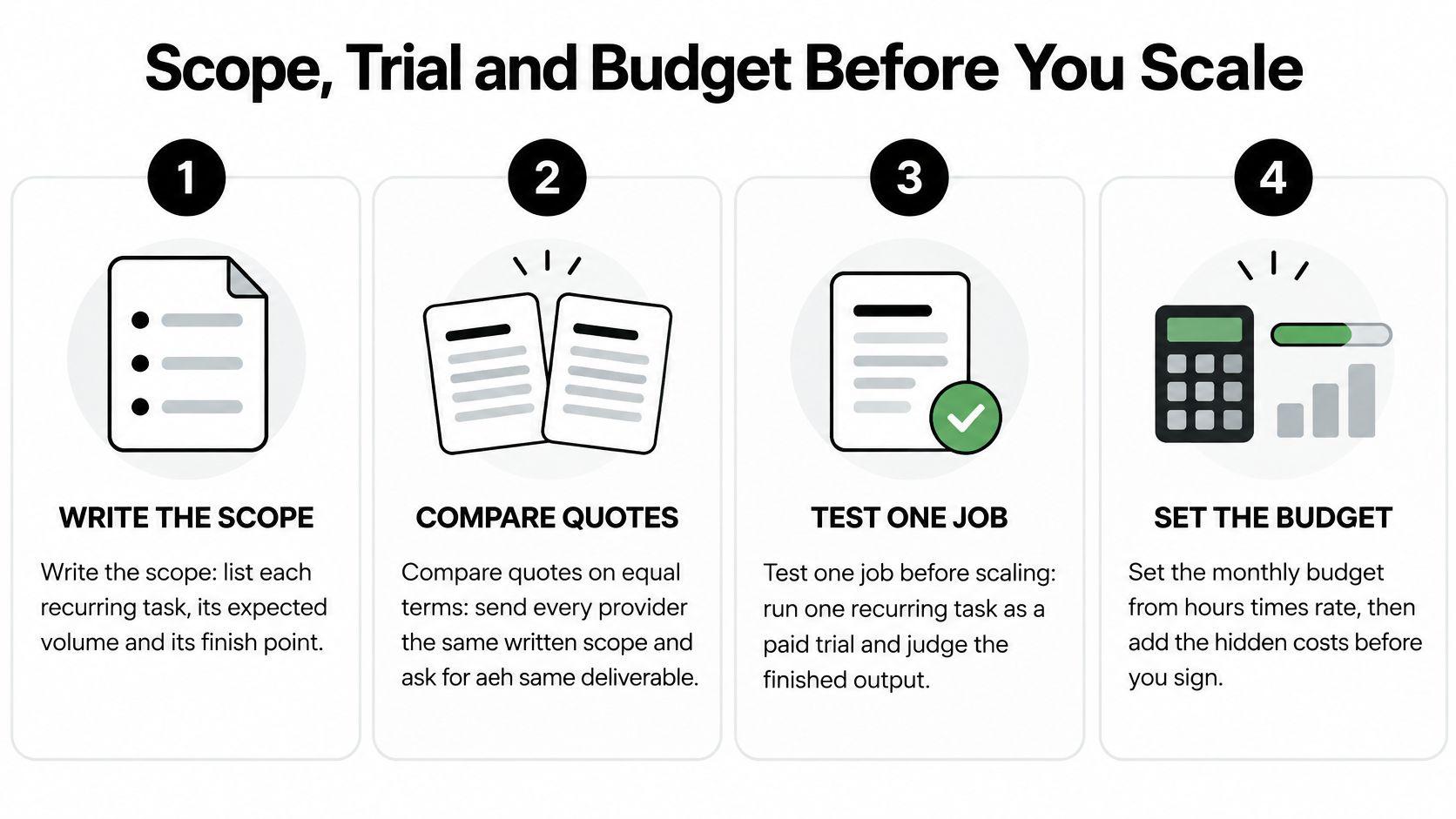
After the pilot, do the arithmetic that decides the question. Count accepted deliverables, divide the total spend including your review time by that number, and compare it with what the work costs you now. If the ratio holds, scale hours. If it doesn't, change the scope or the assistant, not the rate.
Keep fixed costs at zero while you test. The variable side of an assistant budget is where the learning happens, and a subscription on top of it just makes an experiment harder to stop.
That's a practical reason to keep the fixed side low. Fluidwave costs $0 per month, and every feature is included with no subscription, so trialling a delegated task doesn't add a recurring line to the budget you're trying to measure. If you want a structured way to run that first pilot, the virtual assistant hiring guide walks through the brief, the trial and the review.
Post the task, agree the price and milestones, and pay only when the work is accepted. That's how the Fluidwave marketplace works: you set the scope, budget and deadline on a task, a human assistant takes it, and your cost per accepted deliverable stays visible instead of disappearing into a timesheet. Start with one recurring job at Fluidwave and see what your real rate per finished task looks like before you commit to a monthly block.
Focus on What Matters.
Experience lightning-fast task management with AI-powered workflows. Our automation helps busy professionals save 4+ hours weekly.